
-
Login to the Lens Portal
-
In the left sidebar expand the
Infrastructuremenu and select theSchedulingoption -
Under the
Schedulingsection, select theCalendaroption -
Select the tab that corresponds with the day you would like to copy events from
-
Select the
Copybutton from the toolbar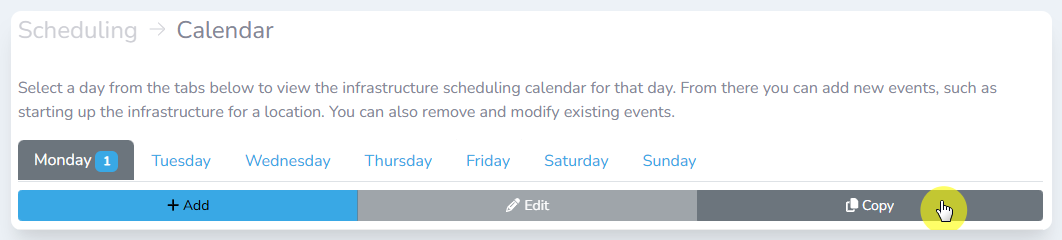
The toolbar
-
In the
Copy schedulesdialog window, select the schedule events you would like to copy to another day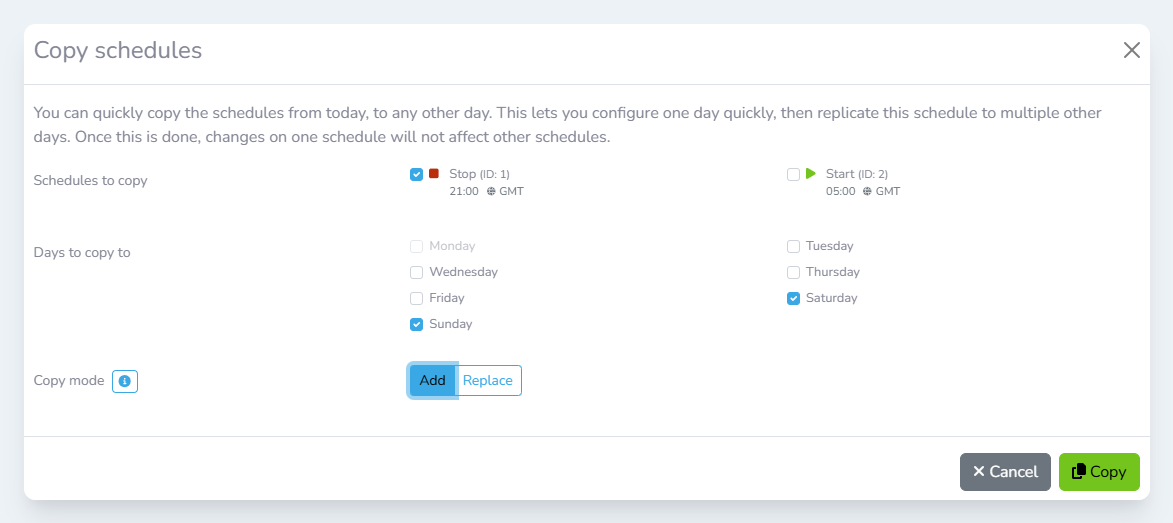
The Copy schedulesdialog
-
Select the days that you would like to copy the events to
-
Select the copy mode:
-
Add
The schedule events will be added to the days selected. Any events on the selected days will not be affected. -
Replace
The schedule events will be added to the days selected. Any other events on selected days will be removed.
-
-
Click the
Copybutton