
Lens 2026.1
User Experience
Announcements
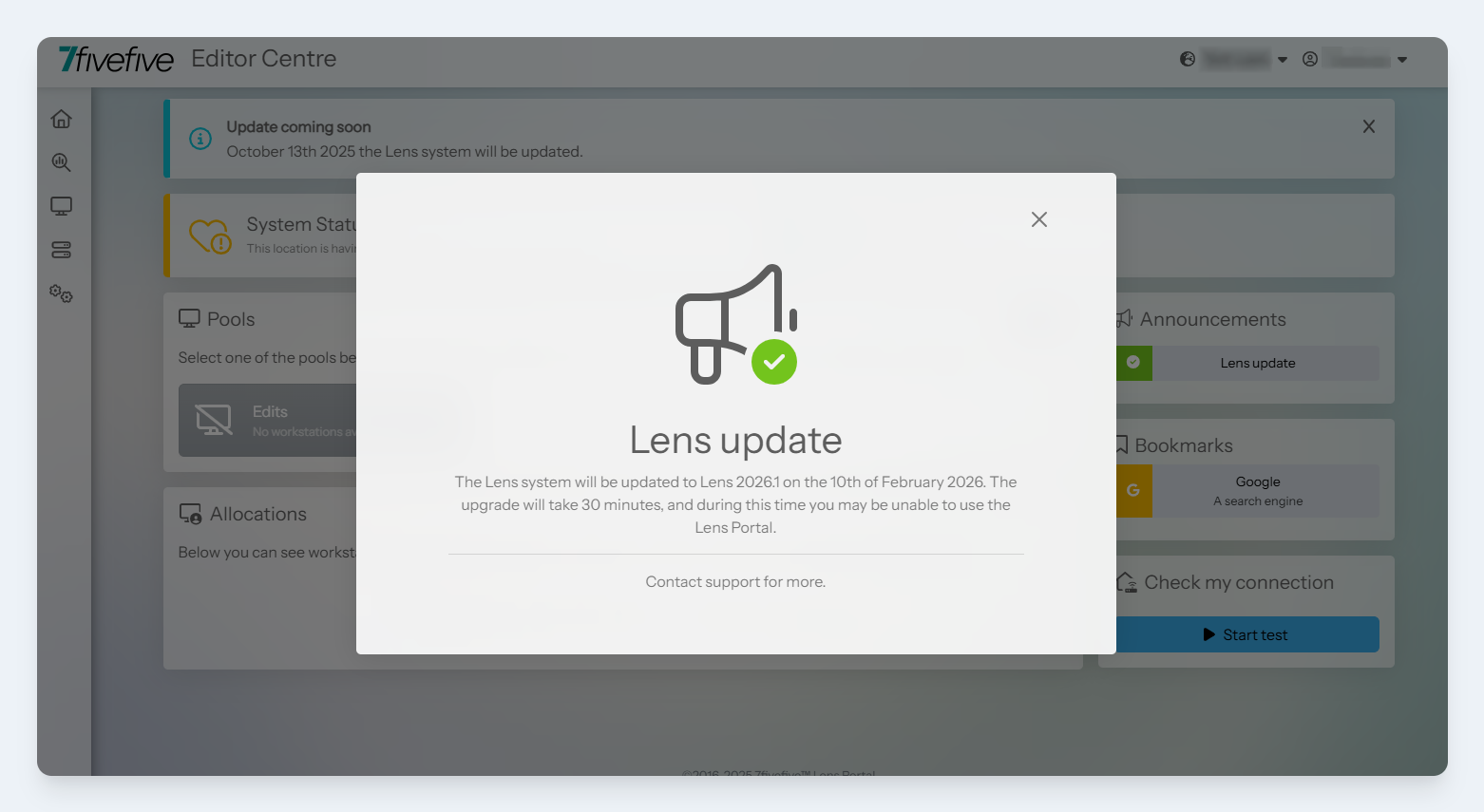
In this release, we have added the ability to add announcements to the Lens Portal. These announcements can be targeted to specific user roles, sites and date ranges. Announcements can be placed in multiple locations of the Lens Portal UI to ensure that your users never miss important updates.
See more on this feature here.
Refreshed look and feel
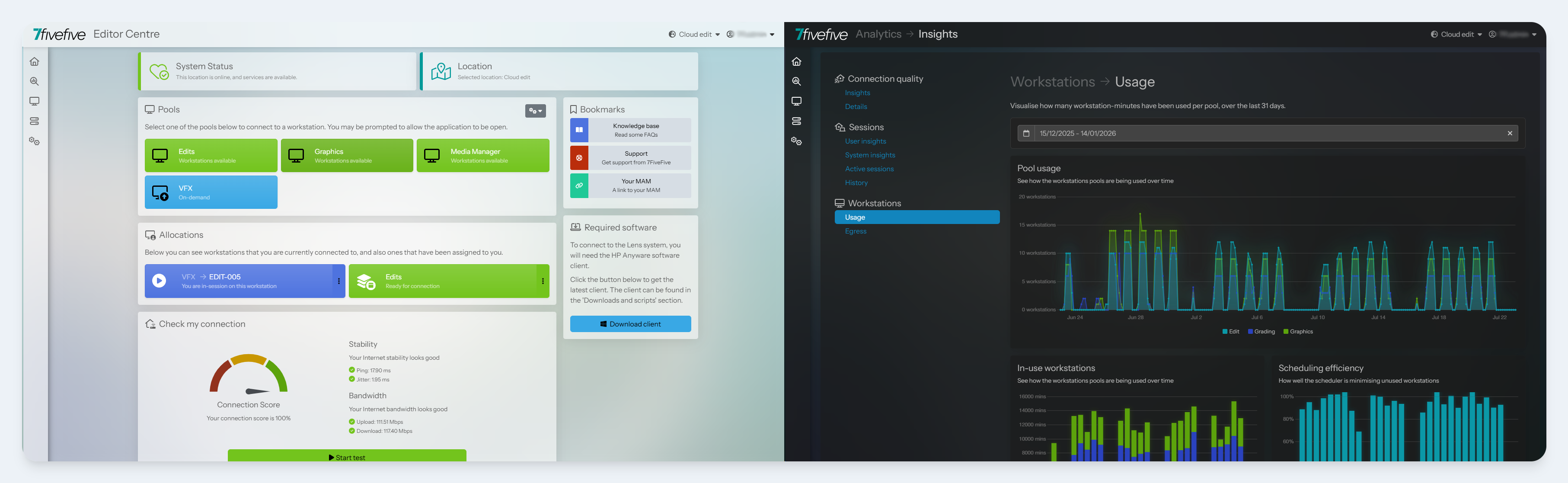
We’re constantly looking for ways to refine and improve the Lens user interface and overall experience, and this release delivers our most significant visual update yet.
Inspired by camera lenses, the UI now features depth, focus, and subtle accents. Dark mode has also received a substantial upgrade. Enhanced contrast and refined highlight colours improve readability and reduce eye strain in low‑light environments.
Workload Insights BETA
Right-sizing workstations is an important part of managing cloud environments, and is also useful for on-premise environments when it comes to hardware refreshes. Lens has previously given administrators the ability to view near-real-time and historical resource usage to troubleshoot performance issues and ensure users are using suitably resourced workstations.
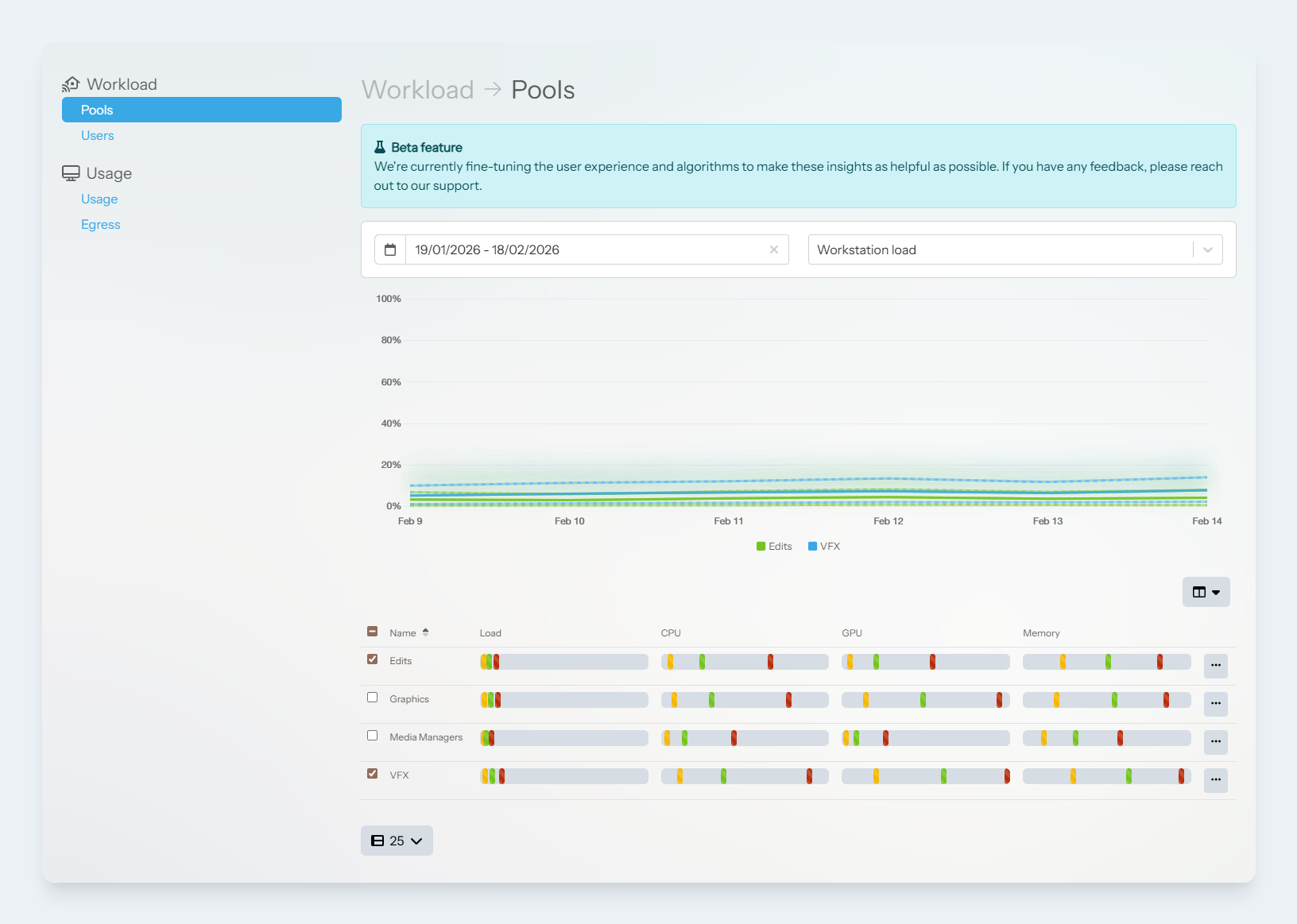
In this release, we have introduced ‘Workload insights’. The workload insights tool aggregates this data from all Lens sessions to provide a succinct overview of how pools and users are utilising workstation resources. The goal of this tool is to highlight where there may be opportunities for down-sizing workstations to save on costs, or potentially increasing workstation resources to improve user experience.
Improved Editor Centre customisation
It’s now possible to customise the Editor Centre widgets on a site-by-site basis, giving you greater control and flexibility over your workspace. Specifically, the software widget can now be enabled or disabled according to your preferences, allowing it to align perfectly with your own internal software management tools and workflows.
Additionally, the connection speed test widget has been improved to allow it to be moved to the right-hand column. This adjustment enhances the overall navigation flow of the page, making it more intuitive and user-friendly. Despite this change in placement, all key connection data and alerts remain fully accessible and visible.
Brokering
Local session support
In previous versions of Lens, it has been possible to see when a user is connected locally to a machine; however, now session analytics or data was available. In Lens 2026 we’ve introduced support for local session tracking. This provides administrators with many of the same metrics and session analytics that they receive from remote user sessions. This feature lets administrators view workstation usage comprehensively and access real-time and historical technical support data from the Lens Session Analyser.
Native Amazon DCV brokering
We improved Amazon DCV (formerly Nice DCV) support by adding native session management through the Lens Agent. This boosts session management performance on Amazon DCV platforms, enhances stability, and reduces cost and complexity by removing the need for the Amazon DCV Session Manager. This is particularly impactful for customers with multiple sites or customers with hybrid environments.
Idle detection improvements
The idle detection feature helps administrators minimise costs by disconnecting users who are no longer actively using their workstations, allowing them to be powered off automatically, or freeing the workstation up for another user. Previously, the idle detection system used a ‘first-past-the-post’ (OR) logic mode, where only one of the specified conditions needed to be met to trigger the idle detection system.
In this release, we have made this logic configurable. Administrators can now set the idle detection policy to an AND mode so all conditions need to be met before the session is classed as idle. Find out more here.
Amazon DCV collaboration mode
It’s now possible for user’s to share their Amazon DCV session with another user straight from the Editor Centre. This makes it easy to collaborate during projects, or share their session with support staff.
See the full release notes here: