

-
Login to the 7fivefive Lens application with a user that has the
Administratorrole or has theAccess to Settingsoption enabled on their role. -
In the sidebar or navigation bar go to the
Configurationoption, then select theSettingsitem from the menu -
Under the
Generalsection, select theCustomisationoption -
Click the
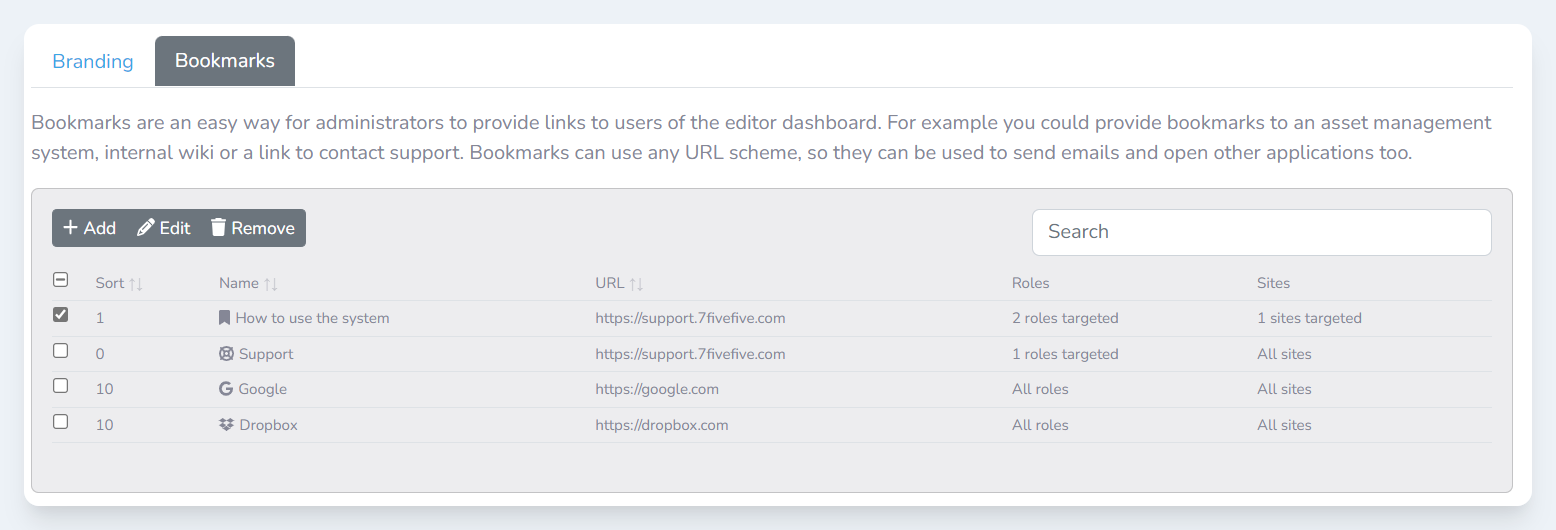
Bookmarkstab -
Check the checkbox next to the bookmark you would like to edit
-
Click the
Editbutton -
In the
Edit bookmarkmodal, edit the fields you require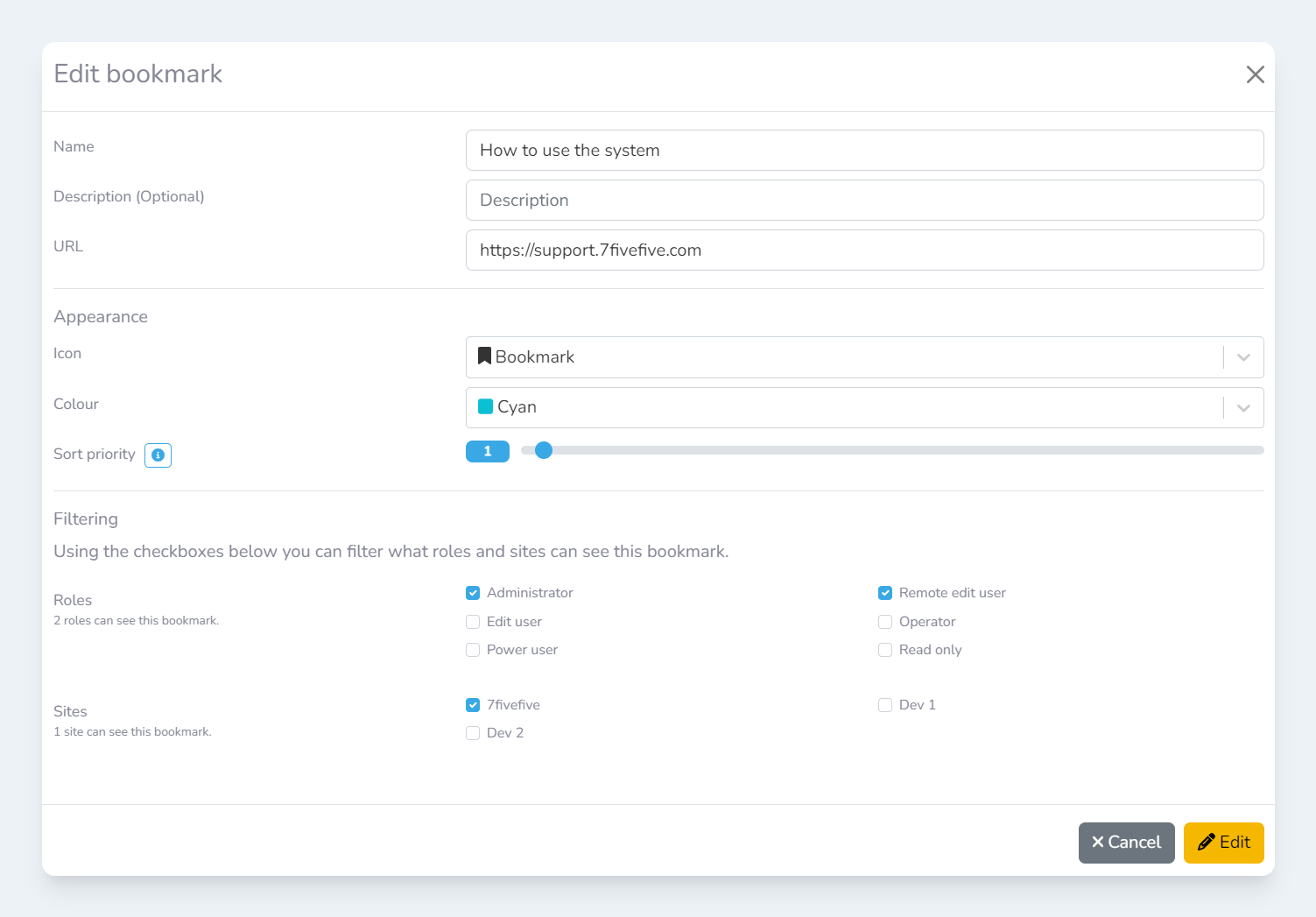
-
Click the
Editbutton