

Beta feature
Please note, this is a beta feature and we are actively making adjustments and improvements to it to ensure its as helpful and intuitive as possible. If you have any feedback please contact support.
Right-sizing workstations is important in Cloud environments and and on-premise environments alike. Lens gives administrators the ability to view near-real-time and historical resource usage to troubleshoot performance issues and ensure users are using suitably resourced workstations.
The workload insights tool aggregates this data to provide a succinct overview of how pools and users are resourced, and where there may be opportunities for down-sizing workstations to save on costs, or potentially increasing workstation resources to improve user experience.
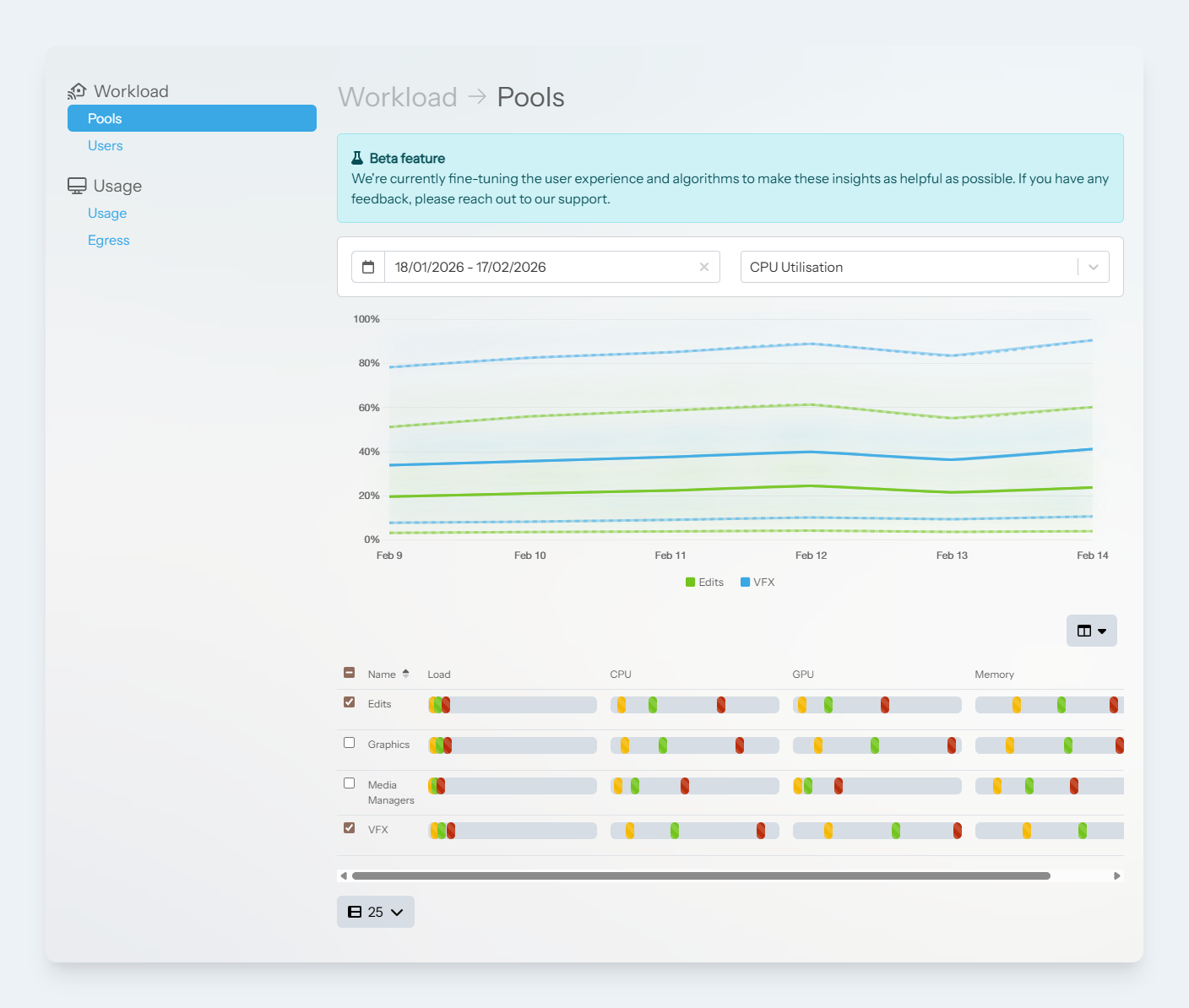
Workflow insights page
The load indicator
To easily show the overall resource consumption for pools or users, we often use the ‘load indicator’.
This simple bar shows the minimum (yellow), average (green) and maximum (red) values for each metric.

Load Indicator
Metrics
We currently display the following metrics to gauge workstation resource utilisation:
-
Load - A weighted, aggregation of CPU, GPU and Memory metrics.
-
CPU - How much the workstation’s processor is being used
-
GPU - How much the workstation’s graphics processor is being used
-
Memory - How much memory is being consumed