

Widgets
Hide 'Required Software' widget
When this option is enabled, the software download section will be hidden for the site from the Editor Centre.
Connection test widget type
It is possible to select different styles of speed test widget on the Editor Centre. The options are:
-
Classic
-
Minimal
Classic
This is the classic speed test widget, that is located beneath the Allocations section of the Editor Centre. It is a large widget which shows a connection score and technical details about a users connection.
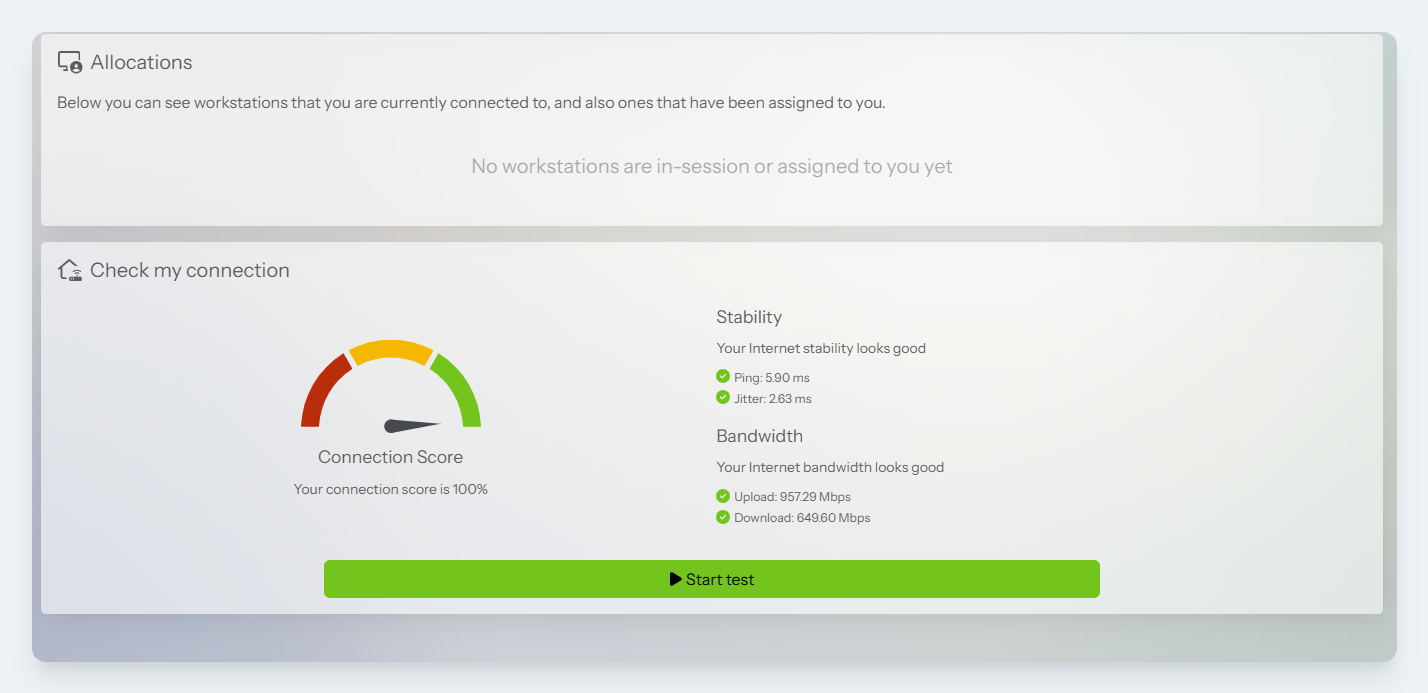
Classic style
Minimal
This is a new style added in Lens 2026 which moves the widget to the Editor Centre sidebar and only shows a connection score. If issues are detected with a connection, an additional button is shown and a modal window displays more details.
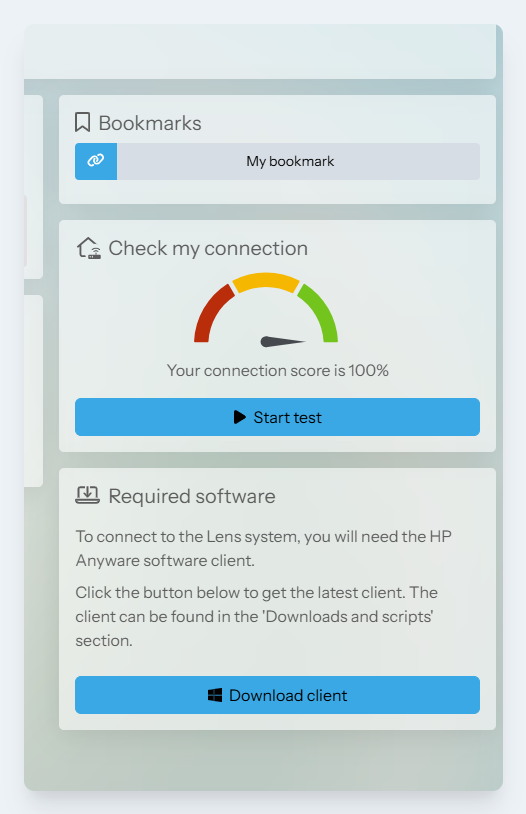
Minimal style
Show session sharing option
When this option is enabled, users will be able to share their Amazon DCV sessions with other users from the Editor Centre.
When a user shares their session, it allows others to see and interact with their workstation. This may include seeing sensitive information or could allow them to perform actions on the users behalf, such as disconnecting the primary user from the workstation or making changes to it.