
If you log into a Lens workstation and the time or time zone is incorrect, ensure you have enabled the Time Zone Redirection setting in your Amazon DCV client. Follow the guide below on how to do this:
Windows
-
Connect to a workstation via Lens
-
In the Amazon DCV client window, click the

-
Select the
Time Zone Redirectionoption. Its value should change toEnabled.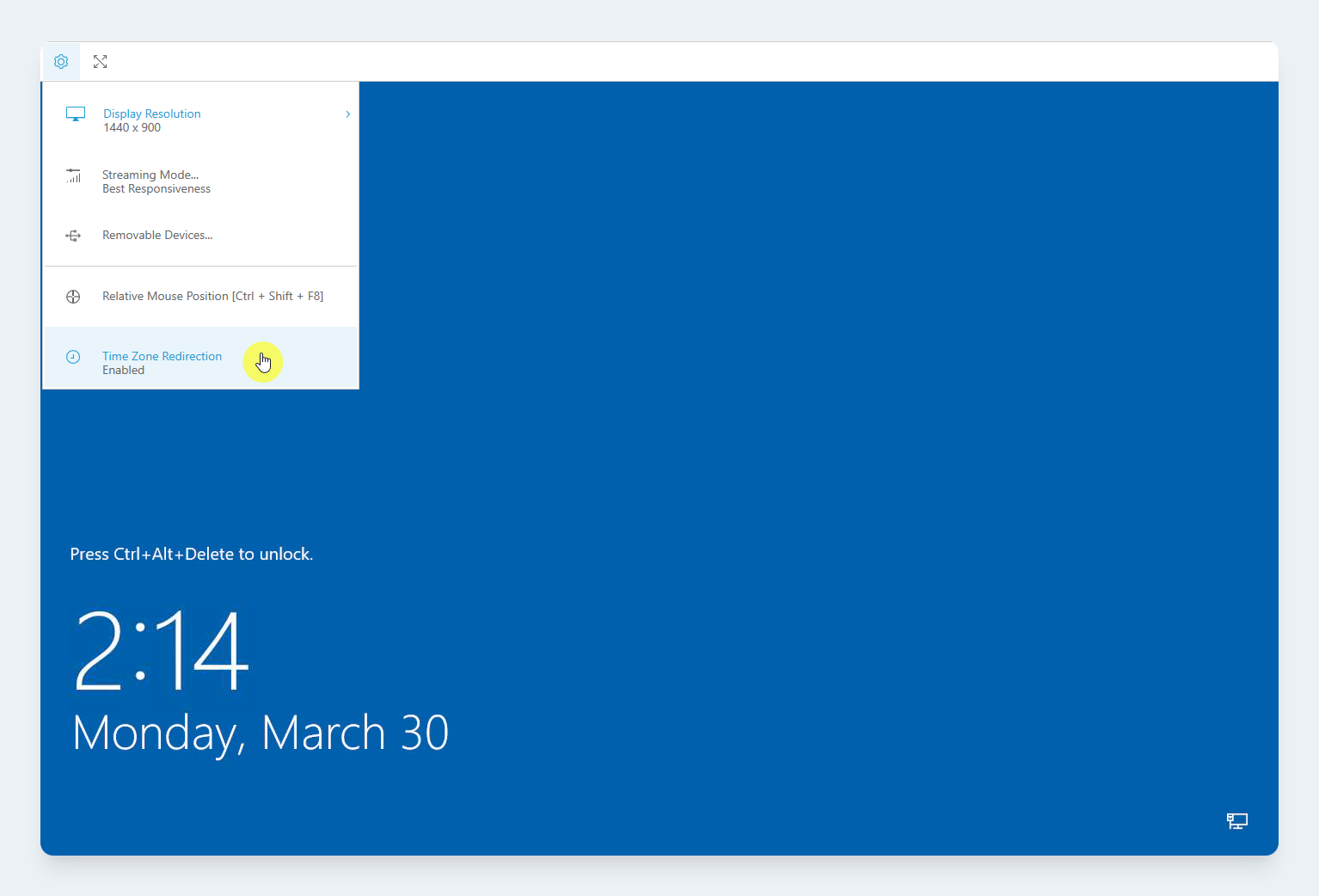
The Time Zone Redirectionoption in the Amazon DCV client for Windows
You may need to log out for this change to take effect.
MacOS & Linux
-
Connect to a workstation via Lens
-
Select the Amazon DCV client window
-
In the system toolbar, select the
Preferencesoption -
Navigate to the
Generaltab -
Check the
Enable timezone redirectionoption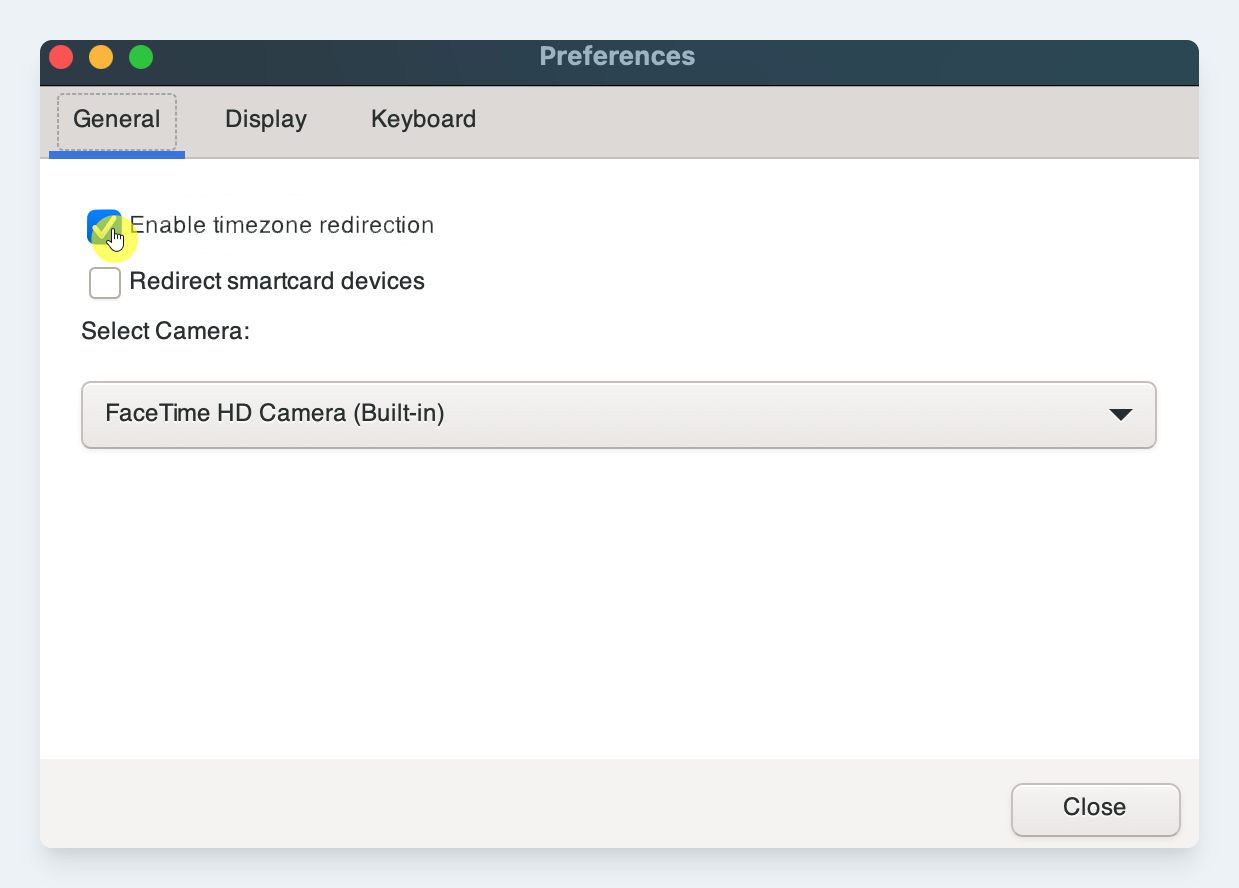
The Time Zone Redirectionoption in the Amazon DCV client for MacOS
-
Click the
Closebutton
You may need to log out for this change to take effect.