

-
Login to the Lens Portal
-
In the left sidebar, expand the
Workstationsmenu and then select theConfigurationoption -
In the menu, under the
Templatessection, select theImagesoption -
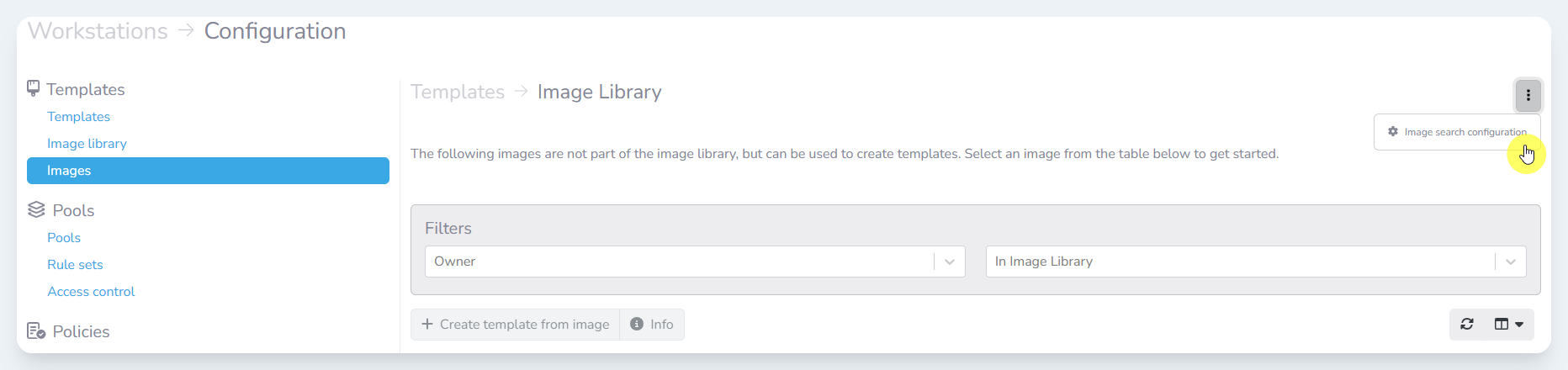
Navigate to the three-dot menu button in the top right corner
-
Select the
Image search configurationbutton -
Check the checkbox next to the images that you would like to remove
-
Click the
Removebutton -
In the
Remove imagesmodal, confirm the correct images are selected -
Click the
Removebutton