

Issue details
Audio and video are slightly out of sync in Adobe Premiere Pro on a 7FiveFive remote editing solution.
Solution
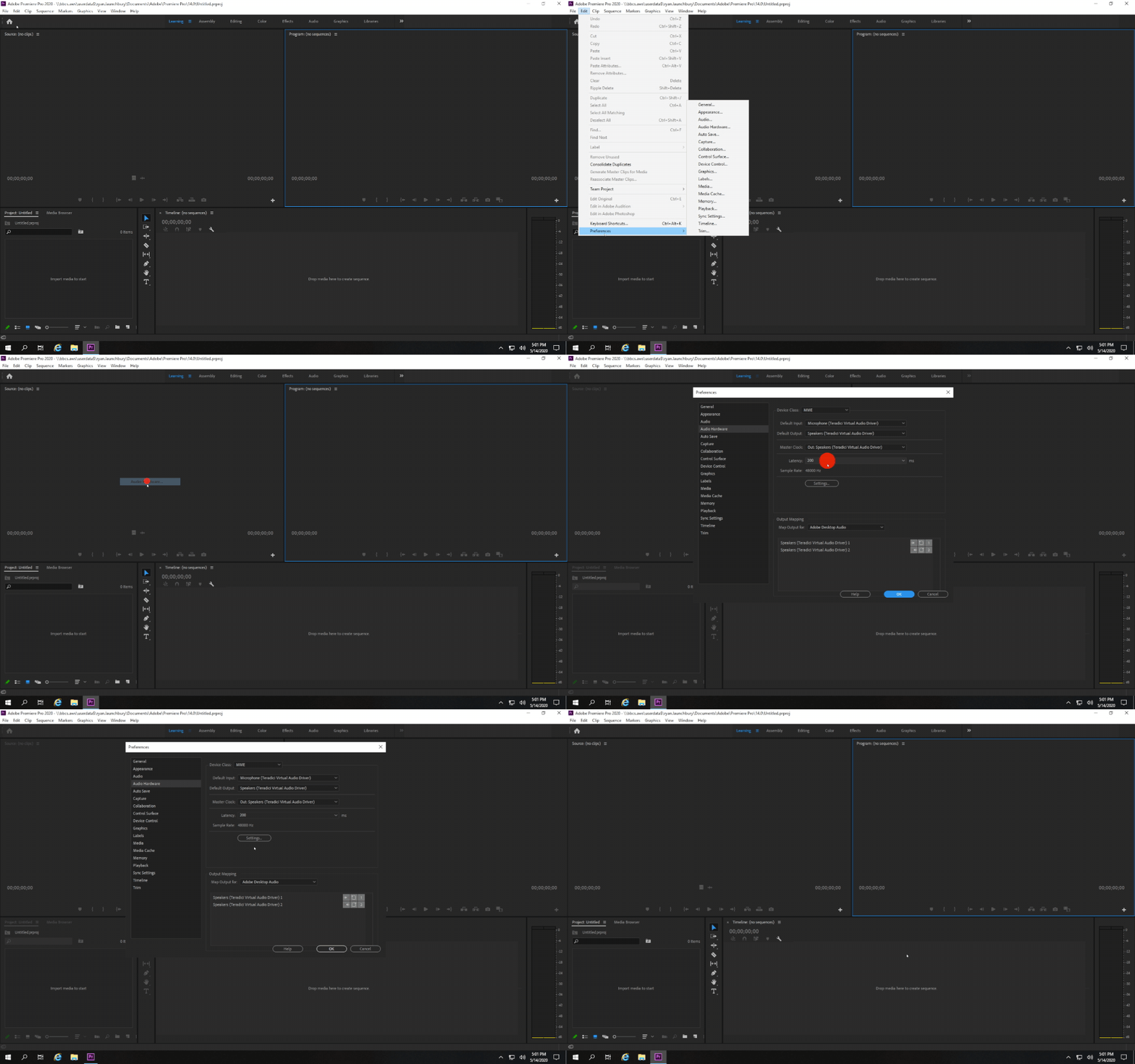
Adjusting the audio hardware latency can resolve issues such as the audio being a few frames behind the video, and other A/V sync issues in Adobe Premiere Pro. 7FiveFive recommend that the audio latency be set to 60-80ms. Follow the steps below on how to do this:
-
Open Adobe Premiere Pro
-
Open a new or existing project
-
Navigate to the
Editmenu, go into thePreferencessub-menu, and select theAudio Hardwareoption -
Under the
Latencyfield, set the dropdown to60 -
Click the
OK button -
Check to see if your A/V sync has improved
|
Created |
|
|
Resolved |
|
|
Status |
GUIDE |
|
References |
|